(SYS.06) — PERSONAL PRODUCT — DESKTOP AUTOMATION & LOCAL AI
AutoSnap
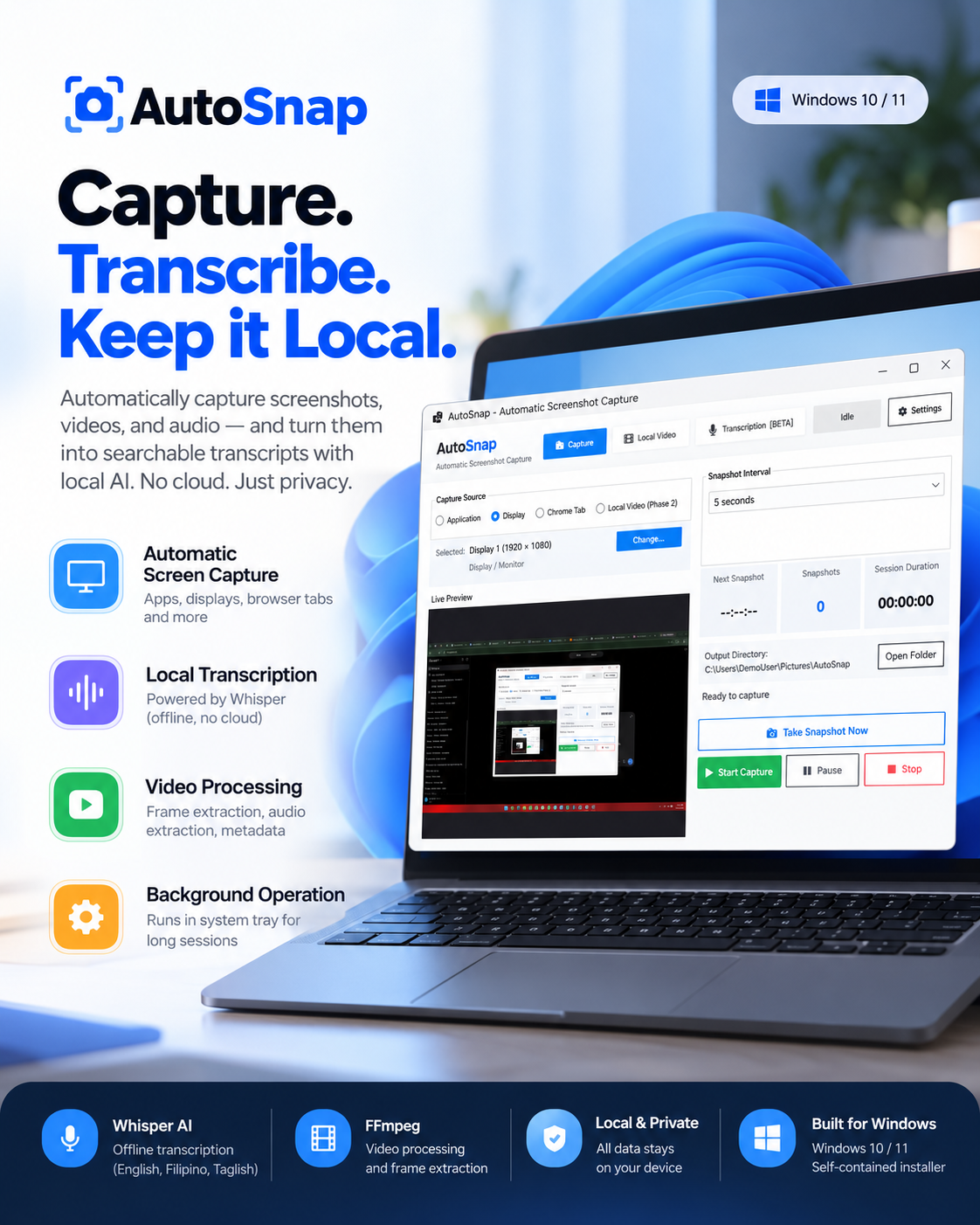
Windows capture utility with interval screenshotting and offline Whisper speech-to-text.
(01) — System Overview
PROJECT
CONTEXT.
A privacy-first Windows desktop productivity application combining timed multi-source screen/browser capture, FFmpeg non-real-time video frame extraction, WASAPI system-audio loopback recording, and fully local Whisper speech-to-text transcription with mixed Taglish language support.
The Operational Bottleneck / Problem
Documenting long technical meetings, online classes, and video presentations typically forces users to send proprietary audio and screen recordings to cloud transcription services with recurring costs and privacy risks.
Engineering Solution
Created a unified Windows utility that records screens, captures internal desktop audio, and processes speech-to-text locally on-device.
(02) — Architecture & Pipeline
SYSTEM
ARCHITECTURE.
.NET 8 desktop core orchestrating NAudio WASAPI stream recording, FFmpeg CLI subprocesses, and Whisper.net inference models with local disk storage.
Data & Execution Pipeline
(03) — Technical Focus
ENGINEERING
HIGHLIGHTS.
Offline Speech AI with Whisper.net
Runs speech-to-text transcription entirely on local hardware using Whisper.net, keeping sensitive meetings, lectures, and audio recordings completely private.
WASAPI Loopback System Audio Capture
Captures desktop and browser audio streams directly through Windows WASAPI loopback with NAudio without requiring virtual audio cables or microphone bleed.
Fast Non-Real-Time FFmpeg Video Extraction
Extracts high-resolution snapshot sequences directly from video files via FFmpeg seek operations without requiring real-time video playback.
Taglish Language Support & Crash-Resistant Sessions
Includes specialized recognition modes for mixed Filipino-English dialogue and enforces a 30-second transcript autosave interval to protect long recordings.
(04) — Implemented Capabilities
CORE
FEATURES.
Timed screenshot capture for windows, full displays, and browser tabs
Native browser-tab capture using getDisplayMedia sharing permissions
Background system-tray execution with minimal CPU footprint
FFmpeg-powered interval snapshot and frame extraction from video files
WASAPI desktop loopback audio recording with zero microphone noise
Offline Whisper transcription supporting English, Tagalog, and Taglish
Local Whisper Model Manager supporting Tiny, Base, Small, Medium, and Turbo
Hardware-aware model recommendations matching system CPU and RAM specs
Built-in transcript editor with TXT, SRT, and VTT subtitle export
Periodic 30-second autosave transcript recovery for uninterrupted sessions
(05) — Technology Stack
STACK
ARCHITECTURE.
Runtime & UI
Audio & Speech AI
Video Processing
Packaging & CI
(06) — Problem Solving
TECHNICAL
CHALLENGES.
Managing Large Whisper Model Execution on Consumer PCs
Implemented a hardware-aware Whisper model recommendation engine that benchmarks available system memory and threads to prevent out-of-memory crashes.
(07) — Reliability & Governance
SECURITY & TESTING.
Privacy & Security Model
Strictly offline local media processing with zero cloud transmission.
EXPLORE MORE WORK